Glossary Contact Extranet
Backoffice

One

integrated platform

for everyone involved

Central planning and local execution come together in connected collaboration
Back-Office | StrategyBack-Office | StrategyIn-Store | ExecutionIn-Store | ExecutionDatenDataPflege, AnreicherungMaintenance, enrichmentData ManagerFlächeSpaceAnteile, AnordnungShares, arrangementStore Maker®Sortiment | ClusterRange | ClusterStrategische FestlegungStrategic definitionRange Finder®Sortiment | StoreRange | StoreArtikelauswahl, FacingsItem selection, facingsRange Adapter®RegalShelfPlanogramm-ProduktionPlanogram productionShelf Maker®ÜberprüfungCheckPlanogramm-CompliancePlanogram complianceSAM Check®BereitstellungAccessDigitale Distribution, UpdatesDigital distribution, updatesmySAM®Umsetzung | RegalExecution | ShelfFlexible Adaption im StoreFlexible adaptation in storeSAM Shelf®Umsetzung | FlächeExecution | SpaceFlexible Adaption im StoreFlexible adaptation in storeSAM Store®
Maintenance of product master data

Data Manager

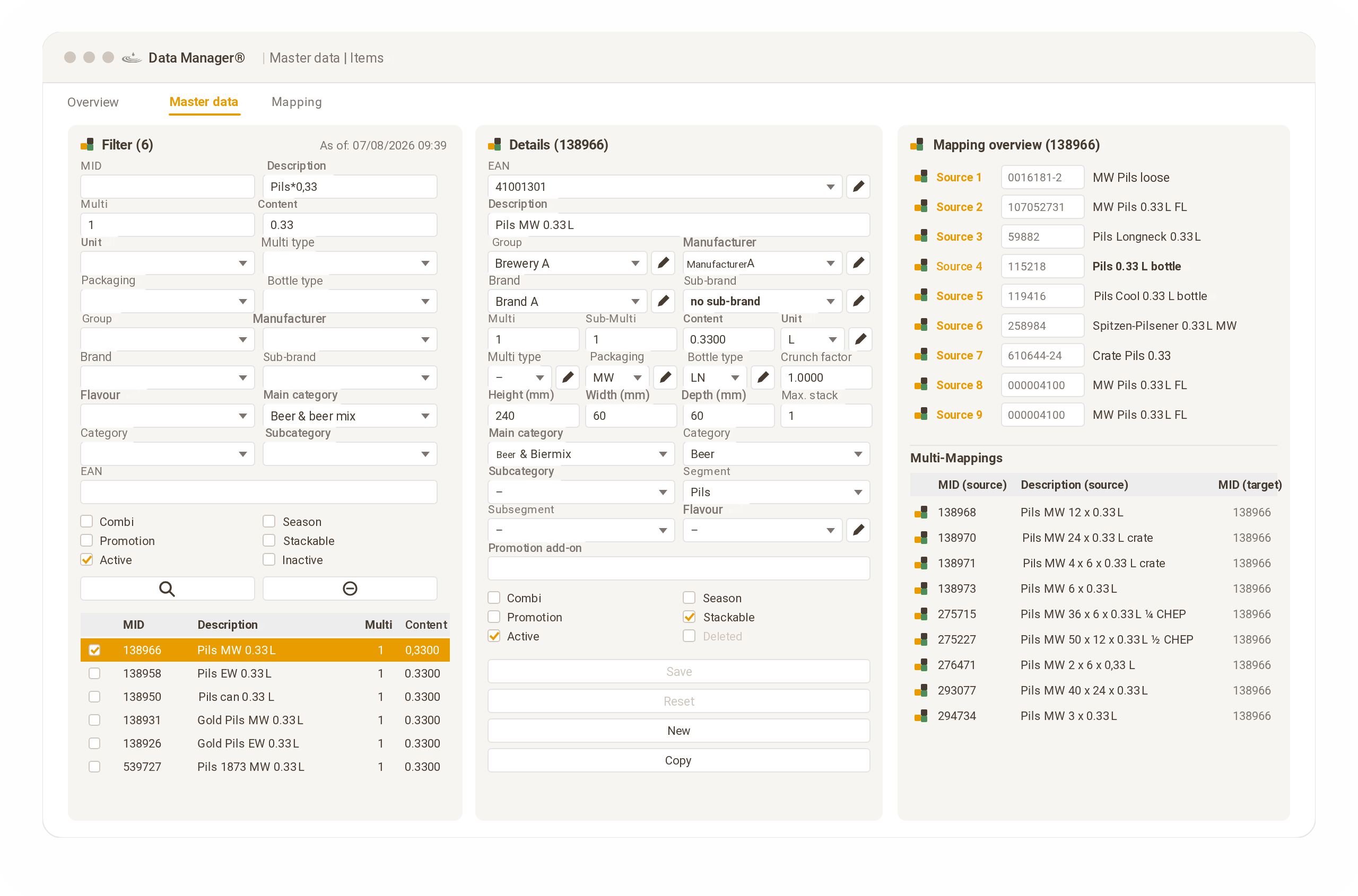
The Data Manager enables users to maintain and enrich item master data efficiently.

The software offers functions for managing key item attributes such as category, segment, manufacturer, brand, packaging, content, dimensions and more. Using matching algorithms, users can quickly and easily map individual items from different data sources to each other. In addition, AI detects similarities between items and generates referencing suggestions.
1data source instead of many Excel lists
autoreferencing suggestions
Fläche Space Regal Shelf Sortiment Range

01

Space management
Calculate market-appropriate shares of categories/segments flexibly using the space allocation key (SAK)
Define a customer-oriented arrangement of categories and segments based on rules

02

Range management
Define ranges for location groups and shelf sizes according to strategic requirements, based on KPIs and rules
Automatic adaptation per location via local heroes and local losers, including sales-based facing adjustment

03

Shelf management
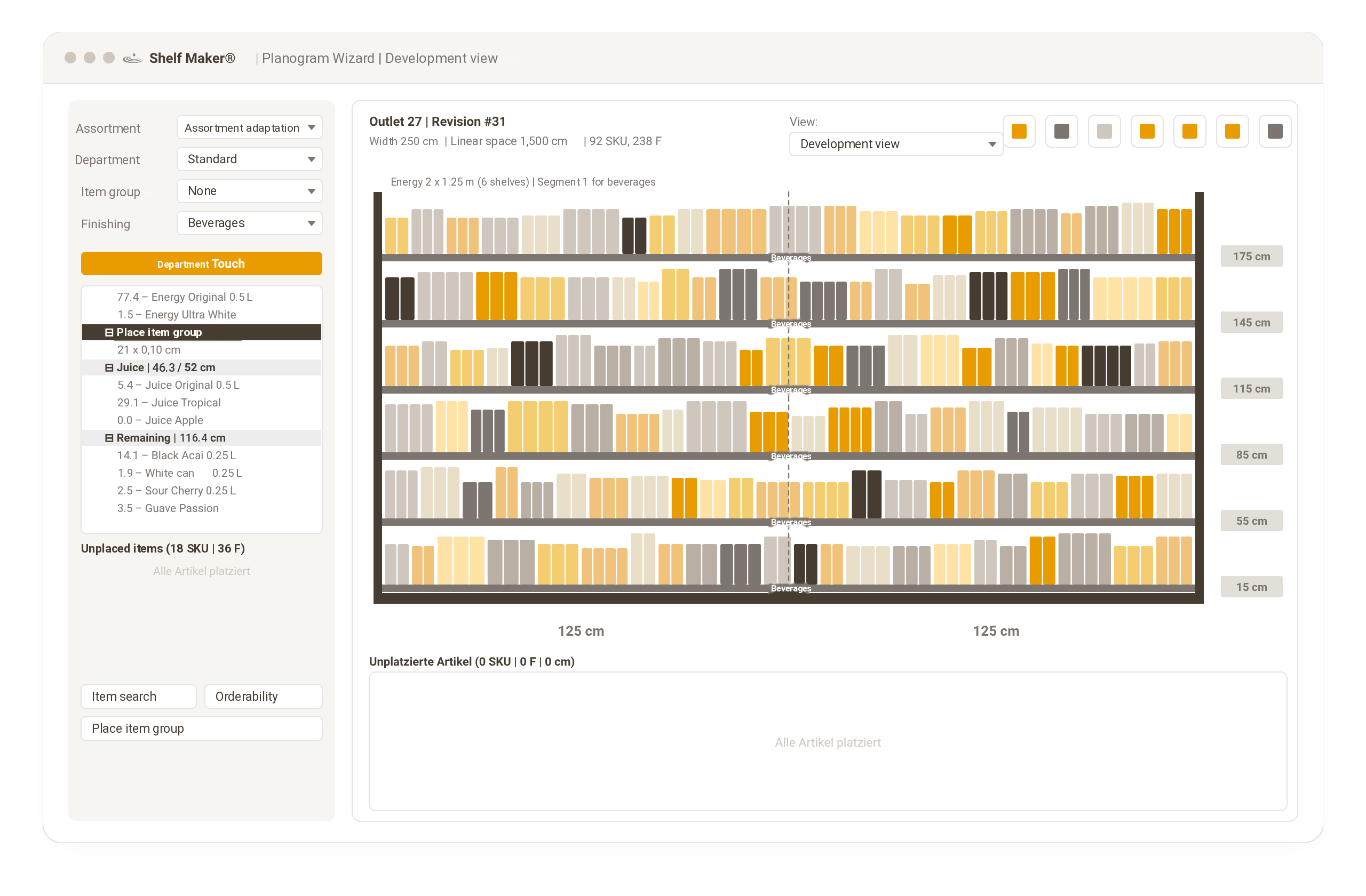
Unique efficiency in automated planogram production using flexibly configurable rule sets (AI-supported “bottom-up approach”)
Tailored planograms for location-specific ranges and shelf structures, for simple and fast 1:1 execution in store
Category arrangement and shares optimized in space plans

Store Maker®

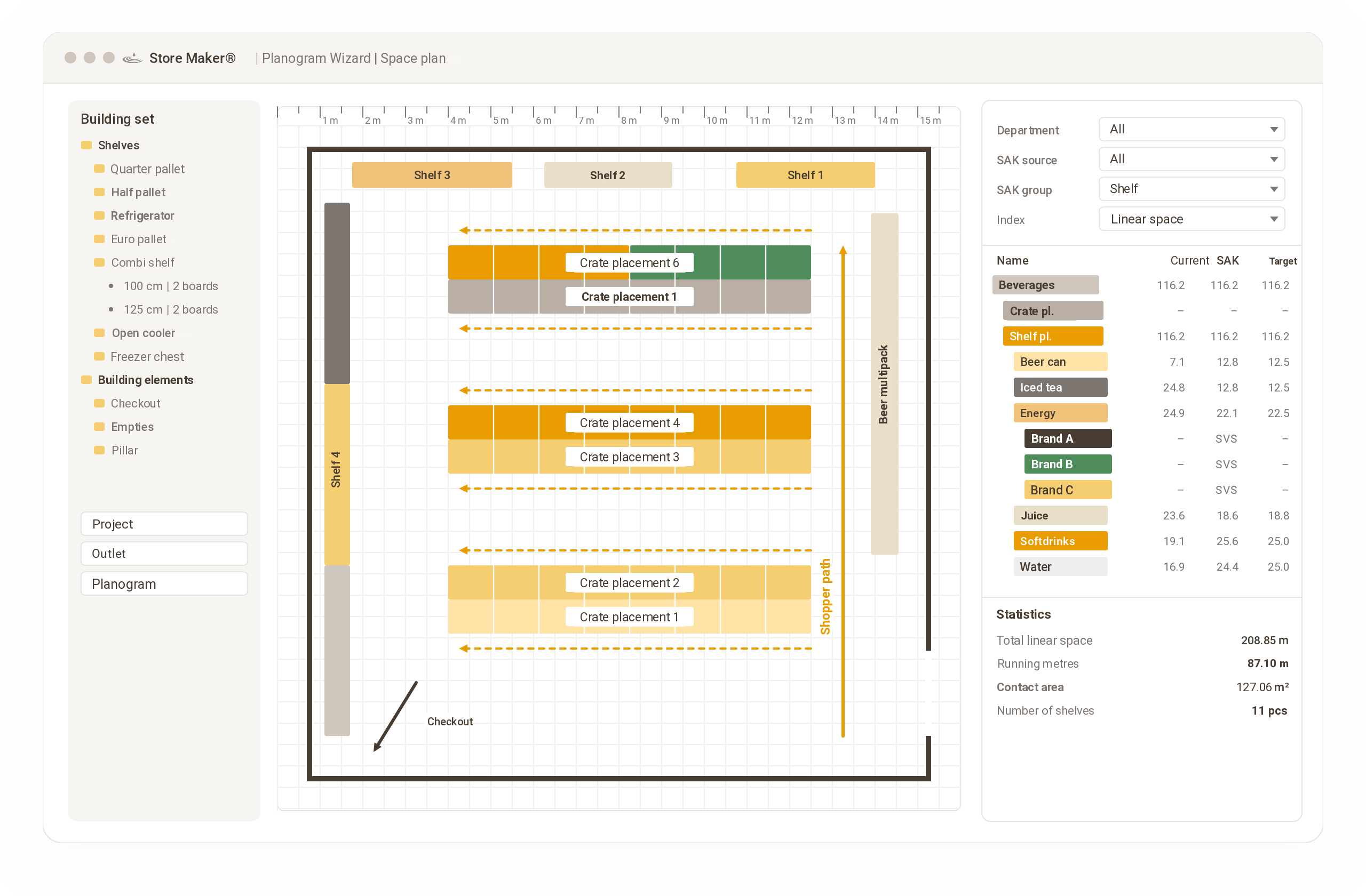
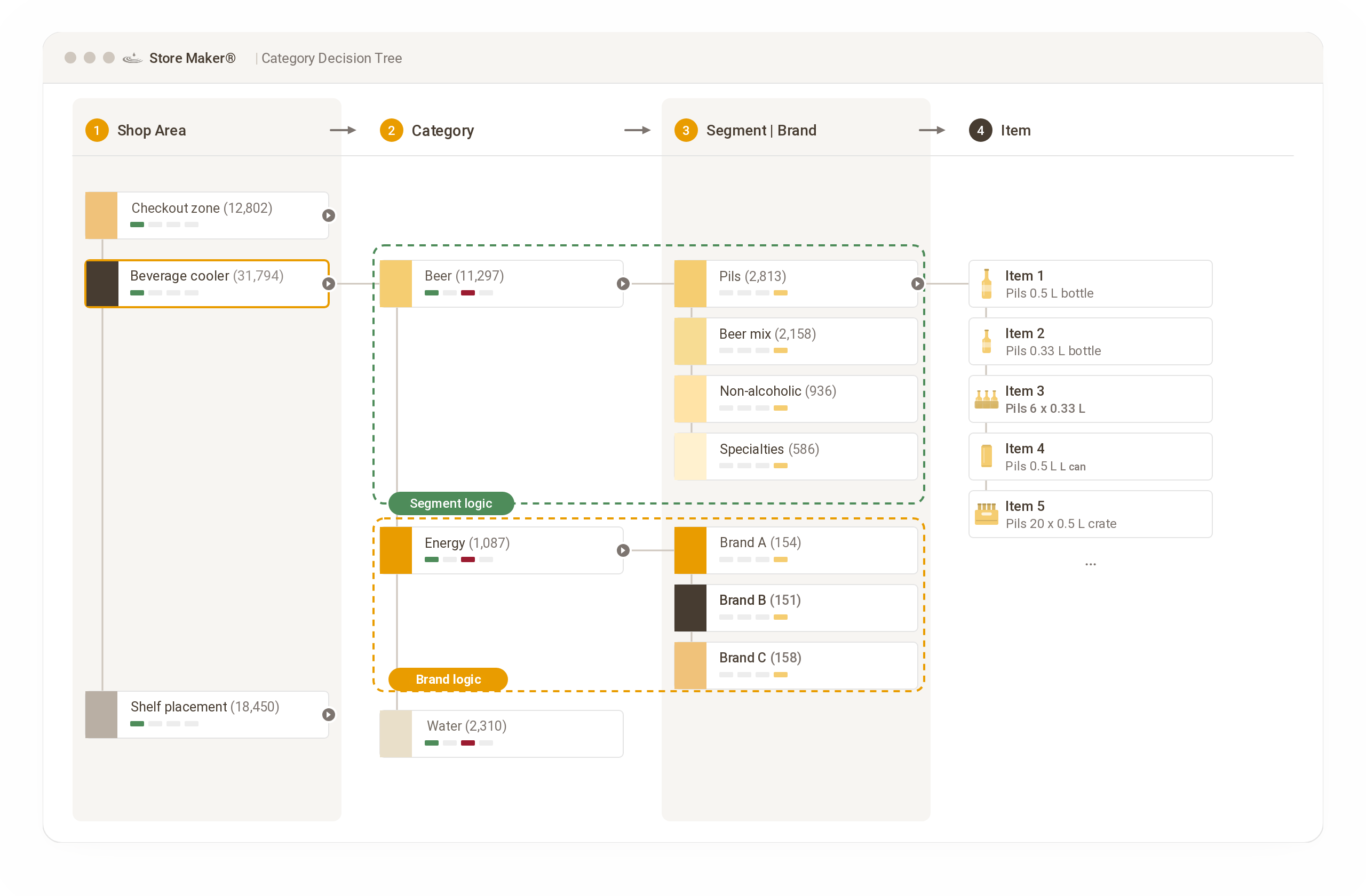
With the Store Maker®, users automatically calculate market-appropriate category shares for each store, flexibly using a space allocation key (SAK), and use them as a benchmark for allocating space.

Users can also easily capture and optimize space plans for individual shelves, departments or the entire store. By configuring SAKs and rule sets for space allocation, users ensure a customer-oriented sequence of categories and segments that takes the structural features of each location into account.
Space allocation key
Automatically calculate shares per category for each store and use them as a benchmark.
Space allocation rule set
Define category and segment sequences in the rule set and apply them at scale
Shelf, department, store
Optimize space plans for individual shelves, entire departments or the whole store.
Strategische Sortimentsarbeit

Range Finder®

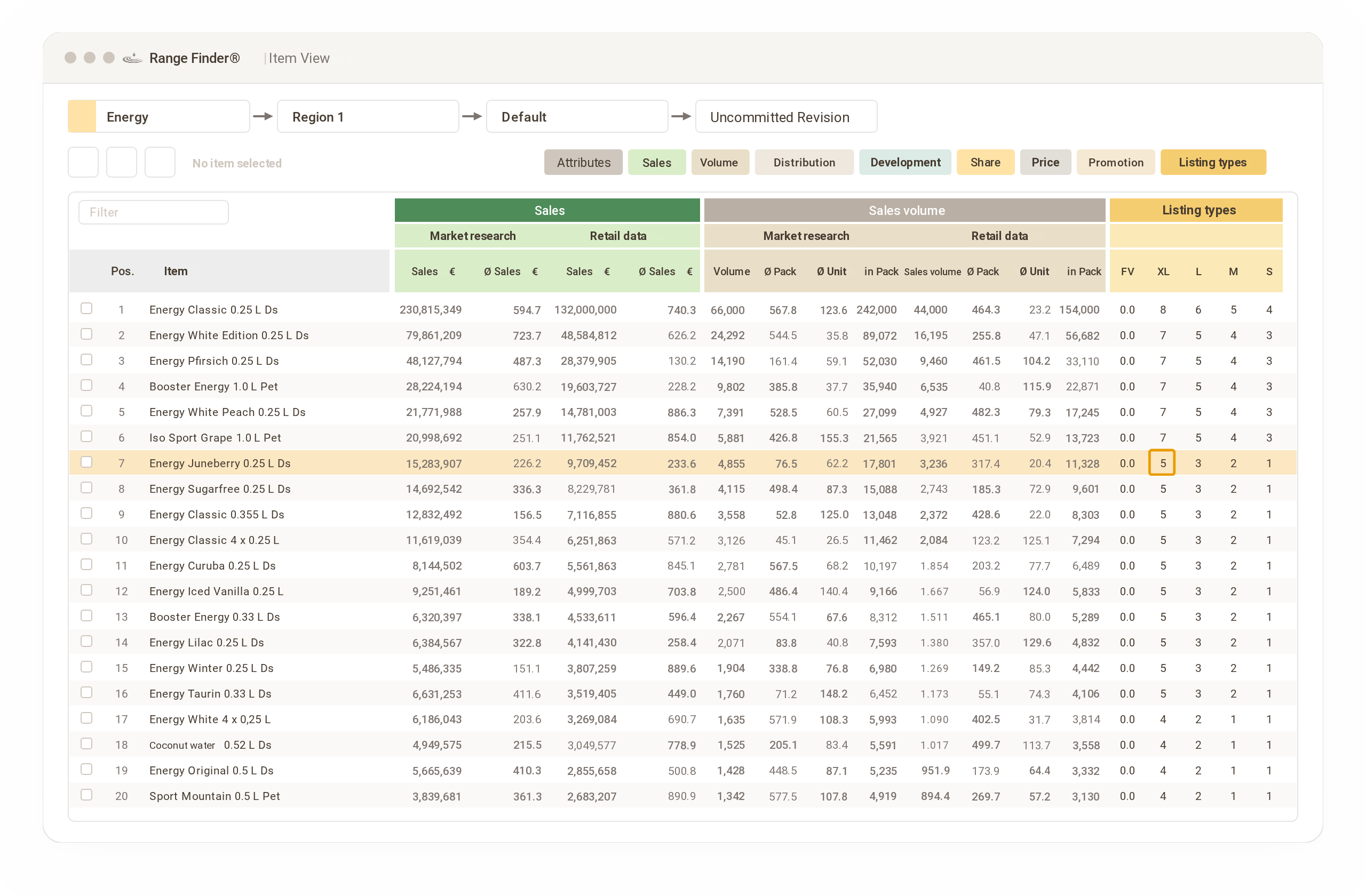
Der Range Finder® ermöglicht dem Nutzer, strategische Sortimentsentscheidungen zu treffen, die auf verschiedenen Gruppen von Verkaufsstellen, Regalgrößen und/oder regionalen Clustern basieren. Die regel- und kennziffernbasierte Festlegung der Sortimente kann strategische Vorgaben wie Werbeartikel, Neuprodukte und andere Kriterien berücksichtigen. Einzelartikel werden auf Basis von Kennzahlen aus verschiedenen Datenquellen bewertet, wodurch eine optimale Sortimentsauswahl festgelegt wird. Sortimentsaktualisierungen sind regelbasiert und dadurch mit wenig Zeitaufwand umsetzbar.

80 %Umsatz durch 26 Artikel
3Datenquellen kombinierbar
Strategic range management

Range Finder®

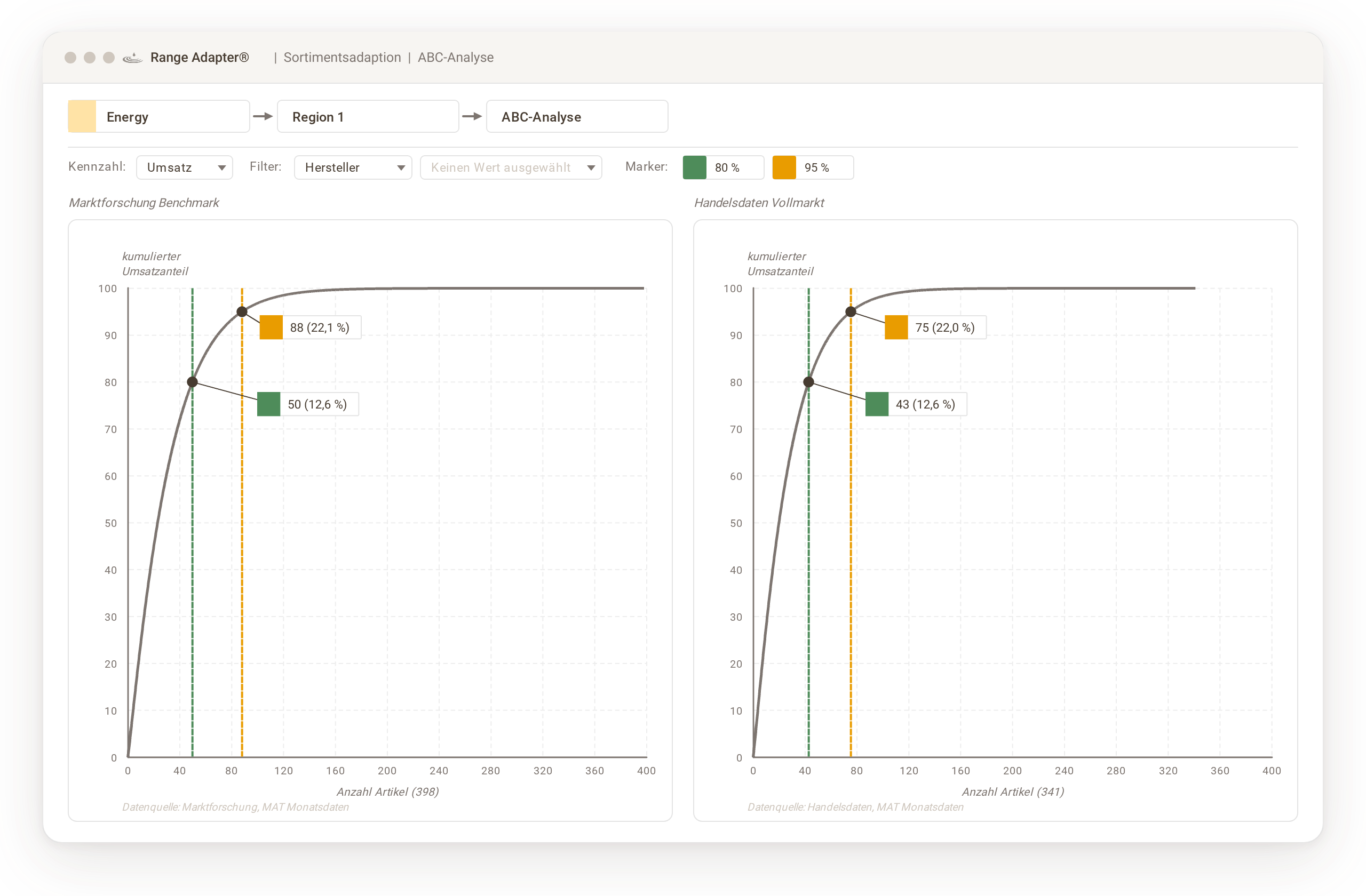
The Range Finder® enables users to make strategic range decisions based on different groups of points of sale, shelf sizes and/or regional clusters. The rule- and KPI-based definition of ranges can take strategic requirements such as promotional items, new products and other criteria into account. Individual items are evaluated using KPIs from various data sources, which determines the optimal range selection. Range updates are rule-based and can therefore be implemented with little effort.

80%of revenue from 26 items
3data sources can be combined
Thorsten Rodehüser CEO | Landgard
“Our partnership is characterized by great trust and a strong business focus. The Hoffrogge team shares our passion and ambition to make our categories grow.”
Optimized ranges per outlet ensure local acceptance

Range Adapter®

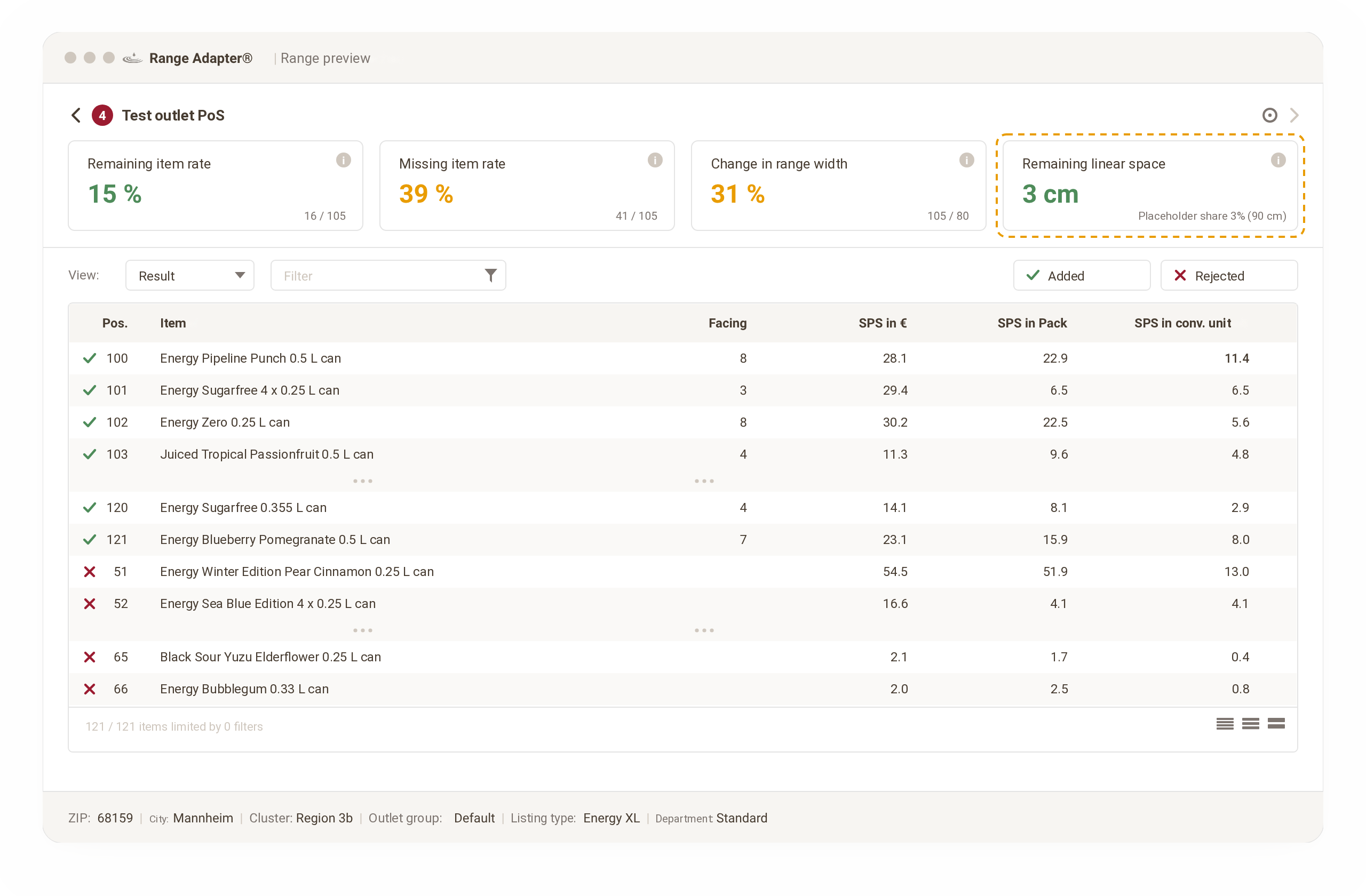
The Range Adapter® enables users to adapt the range based on rules, taking into account local top sellers, strategic requirements and the number of facings of each item based on POS data. A range rule set allows local heroes and local losers to be considered, while the placement widths (facings) are automatically adjusted to local sales data.
Tailored planograms make execution easy

Shelf Maker®

The Shelf Maker® enables users to create planograms at scale, based on strategic cluster ranges or outlet-specific ranges with sales-based shelf stock. Thanks to the patented process, planograms are produced particularly efficiently, i.e. without any master planograms that first have to be created manually. Users configure strategic placement principles in rule sets and can apply them at scale across all points of sale.
1.200individual planograms created at scale
80 %less manual
effort
0master planograms to maintain
Technology

System requirements

The minimum your workstations need to run the CM-Toolkit

CM-ToolkitStore Maker® | Range Finder® | Range Adapter® | Shelf Maker® | Data Manager

Running the software requires at least the following hardware:

  1. Microsoft Windows 10 (or higher), 64-bit system with 16 GB RAM, 12th-generation Intel Core i processor or equivalent with at least 8 cores, 256 GB SSD with at least 20 GB of free space for the CM-Toolkit or the Data Manager
  2. Screen resolution of at least 1920 × 1080
  3. For 3D display only: AMD/ATI Radeon 9500, NVIDIA GeForce 5 FX, Intel GMA 4500 graphics card or better, with support for OpenGL 2.0 or higher
  4. Terminal server environments are not supported

In the last 12 months

Optimizations in 15,000 stores

15.000 Stores

in Germany alone

See for yourself

We'll gladly show you the platform live, with no obligation.
Software platform for truly scalable optimization at store level.
© 2026 Hoffrogge GmbH